

MFA Update for all System Administrators
Published on May 28, 2026
Salesforce System Administrator users have probably noticed emails from Salesforce regarding upcoming security changes. We need to highlight a few upcoming changes that require your action.
No Action Needed: Salesforce is changing its security certificate timelines. The Benelinx package does not use any certificates. Unless you have added them for other packages or integrations, no action is needed.
Action Needed:
Beginning July 1 Salesforce is mandating phishing-resistant Multi-Factor Authentication (MFA) for all users with privileged permissions. This is a significant security upgrade for System Administrators and users with Modify All Data, View All Data, Customize Application, and Author Apex permissions. Unlike previous requirements, standard TOTP methods (Salesforce Authenticator, Google Authenticator, etc.) will no longer be valid for these users. Access will require hardware security keys or built-in authenticators (Passkeys). This does not apply to Standard users who lack the listed permissions.
Step 1
One time Org Configuration Instructions (Link to instructions)
- Ensure Security Keys and Built-in Authenticators are enabled in Organization Identity Verification settings.
- Enable Allow passwordless login with passkeys
Step 2
User Settings for all System Administrator users
- Select a phishing-proof authentication method and set up your device as needed.
- Connect your phishing-resistant MFA to Salesforce (Link to instructions)
Please process these changes well before July 1st. We cannot update you to phishing-resistant MFA. This must happen at the user level.
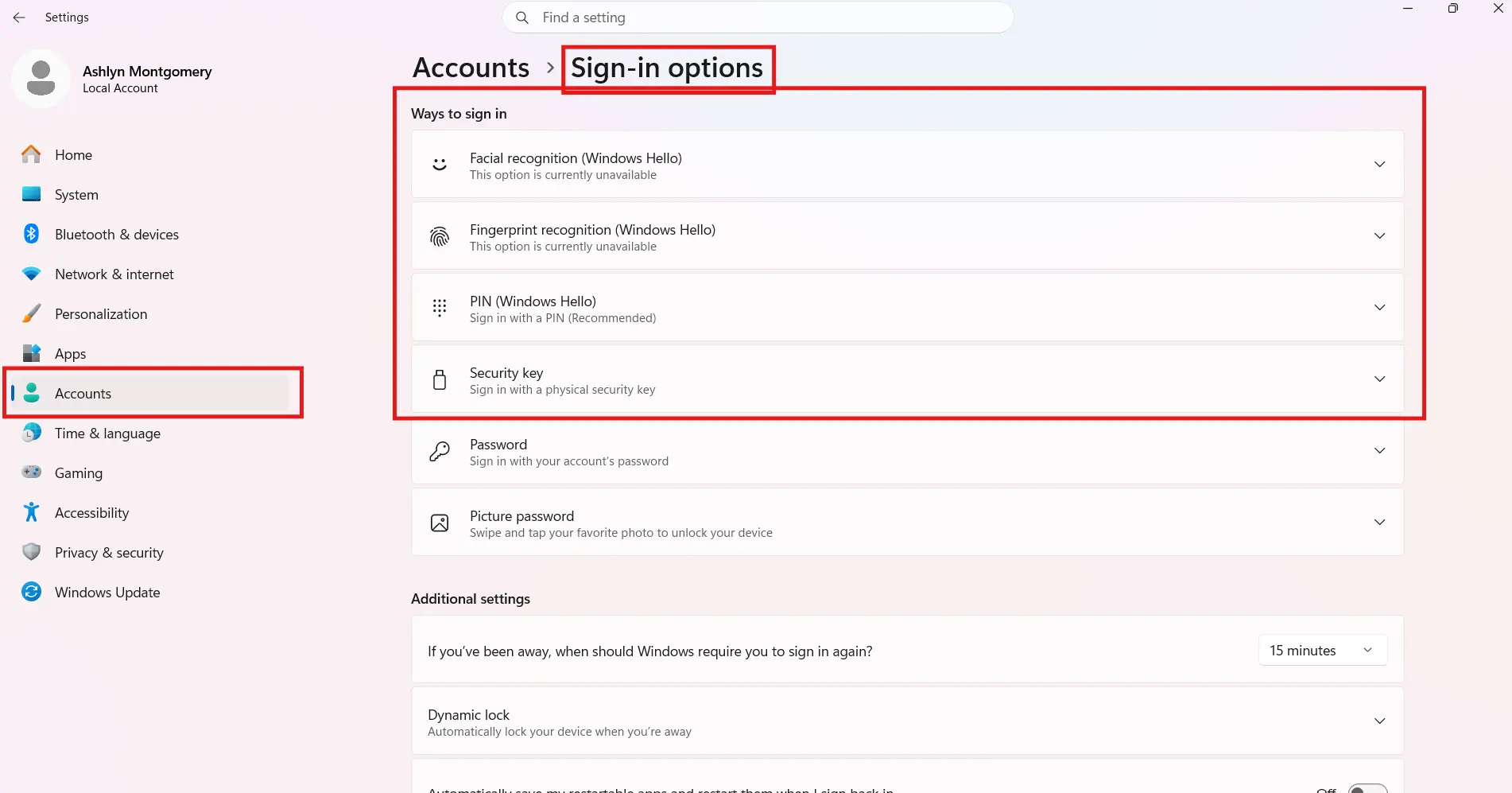
Example Windows Setup via device Settings
Path to follow: Settings / Accounts / Sign-in options. Compatible options in Windows are Facial recognition, Fingerprint recognition, PIN, or Security Key depending on your device.
Salesforce Official Documentation